 |
PSIM and ComputerVoltageSource Programs |
|||
|
||||
|
|||||||
|
AtomProLoader New AtomProLoader is a lightweight programmer for the AtomPro2X. It has a minimal interface with a drop-down box that allows you to select which programs to load via serial. It works nicely on a minimal computer to provide ease of changing programs in the PSIM or ComputerVoltageSource. Details are included in my AtomPro24/28 in my AtomPro FAQ
The program can be downloaded from the BasicMicro website. |
AtomPro24/28 FAQ Updated I have documented a number of hardware and software details for the AtomPro24/28 in my AtomPro FAQ including use of the AtomProLoader. |
DJB-PSIM/CVS/CVS4 Templates
These are code templates to use for new programs for the PSIM, 4 channel CVS or 8 channel CVS. They include a support program with common variables and support subroutines. They are fully compatible with Studio 2.0.0.0 (current release).
Template.djb.bas (Studio 2.x version)
New program template
Conditionals for various configuration options
Program specific code and variables
Interrupt routines
Midi-template.djb.bas (Studio 2.x version)
New MIDI program template
Conditionals for various configuration options
Interrupt routines
Program specific code and variables
MIDI in and out interrupt drivers
General MIDI instrument names
Complete MIDI protocol processor
Support.djb.bas (Studio 2.x version)
#include support file for use with Template.djb.bas and Midi-template.djb.bas
Hardware initialization
TTS256/SpeakJet drivers (PSIM configuration)
1 mS interrupt timestamp
4 sample averaged analog input drivers (polled and interrupt)
Aux rising edge interrupt detect (for detecting fast trigger pulses)
Digital input (Start, Stop, Aux) rising edge interrupt detect (pulses must be >1 mS)
Drivers for 2 line x 16 character (CVS configuration) or 2 line x 8 character (PSIM configuration) LCD display
Programmable 0, 5, and 10 volt reference selection (CVS configuration)
PSIM-CVS-CVS4 template (rev1.6S2).DJB.bas (Studio 2.x version)
** No Longer Supported ** This is superseded by the above three programs **
This is my original combination CVS (4 and 8 channel) and PSIM code template that I used as the core for new programs. Push and Pop commands have been removed for compatibility with BMIDE version 8.0.1.7. There are two sets of pin definitions for IDE 8.0.1.0 and previous, and BMIDE 8.0.1.7 (you need to comment out the alternate set). Support includes:
Hardware initialization
TTS256/SpeakJet drivers (PSIM configuration)
1 mS interrupt timestamp
4 sample averaged analog input drivers (polled and interrupt)
Aux rising edge interrupt detect (for detecting fast trigger pulses)
Digital input (Start, Stop, Aux) rising edge interrupt detect (pulses must be >1 mS)
Drivers for 2 line x 16 character (CVS configuration) or 2 line x 8 character (PSIM configuration) LCD display
Programmable 0, 5, and 10 volt reference selection (CVS configuration)
MIDI in and out interrupt drivers
General MIDI instrument names
Complete MIDI protocol processor
DJB-PSIM Programs
These programs will also run unmodified on the ComputerVoltageSource.
All of the programs use my PSIM Display module to display the name of the program. The display is interfaced using MIDI and these programs should run on a system without a display or MIDI. Some of my programs use a SpeakJet which uses an I2C interface generally without error checking which should also run on a system without a SpeakJet.
5V ADC (rev0.2X).DJB.bas (BMIDE and Studio 1.x version)
5V ADC (rev0.2S2).DJB.bas (Studio 2.x version)
This program is a 5 volt 8 bit ADC which updates at 5 mS. It sends streaming CC MIDI data to a PAiA MIDI2CV which provides the 8 bit digital outputs (+5 volt).
ARP Sequencer Midi (rev0.1X).DJB.bas (BMIDE and Studio 1.x version)
ARP Sequencer Midi (rev0.1S2).DJB.bas (Studio 2.x version)
This program is an adaptation of "cv2midi" for the Arp sequencer since the CV from the sequencer is not stable until the falling edge of clock.
Arpeggiate It (rev0.5X).djb.bas (BMIDE and Studio 1.x version)
Arpeggiate It (rev0.5S2).djb.bas (Studio 2.x version)
This program is an arpeggiator for a CV keyboard. It contains 5 preset sequences and the fifth sequence is user programmable in a "record" mode. It also sends the notes to MIDI out and contains a program change selection mode. The display is used for mode and sequence display.
Audio (rev0.2X).DJB.bas (BMIDE and Studio 1.x version)
Audio (rev0.2S2).DJB.bas (Studio 2.x version)
This is a sample program to demonstrate the PSIM capabilities to generate audio. It plays the bass sequence to 'Riders On The Storm'. Start begins, Stop ends, and Aux is audio out.
Clock (rev0.6).DJB.bas (BMIDE version)
Clock (rev0.6S2).DJB.bas (Studio 2.x version)
Displays and speaks the time (hours, minutes, seconds) whenever Start is pressed and also on the hour. Sorry - I left out the chimes. Initial time is set in the program. Set it about 1 minute ahead, load the program, then reset the PSIM at the programmed starting time.
CV2Midi (rev0.4X).DJB.bas (BMIDE and Studio 1.x version)
CV2Midi (rev0.4S2).DJB.bas (Studio 2.x version)
This program converts CV to MIDI . It sends note on & velocity, note off, and program changes based on various inputs. It determines valid notes from the gate signal or a change in input CV. Tracking a changing CV creates some great MIDI glissindos. The display shows program change and note velocity.
Divider & Pseudo-Sequencer (rev0.3X).DJB.bas (BMIDE and Studio 1.x version)
Divider & Pseudo-Sequencer (rev0.3S2).DJB.bas (Studio 2.x version)
This program takes a clock input and provides four clock outputs, each with a unique divisor (default is /4, /5, /6, & /7 and can be easily changed). It will also output a pseudo-sequence created from the in- x's multiplied by the clock/x's. Start or stop will increase the pseudo-sequence length. The pseudo-sequence is also sent to MIDI out. MIDI in or IN 1-4 set program changes.
Dual J-K (rev0.1X).DJB.bas (BMIDE and Studio 1.x version)
Dual J-K (rev0.1S2).DJB.bas (Studio 2.x version)
A simple dual j-k flip flop for logical combinations of gates and control signals. It has Q-1 and Q-0 outputs with common clock, set, and reset.
Expressionmate (rev0.2X).DJB.bas (BMIDE and Studio 1.x version)
Expressionmate (rev0.2S2).DJB.bas (Studio 2.x version)
This program converts the Kurzweil Expressionmate MIDI data to CV. It includes a MIDI command parser and supports running status.
Four Stage Quantizing Sample & Hold (rev0.2X).DJB.bas (BMIDE and Studio 1.x version)
Four Stage Quantizing Sample & Hold (rev0.2S2).DJB.bas (Studio 2.x version)
This program implements a single channel quantized sample & hold followed by a multi-stage shift register. The input is sampled and quantized on each clock. The output is also shifted through a three stage shift register for a total of four outputs.
Hold All Notes (rev0.1X).DJB.bas (BMIDE and Studio 1.x version)
Hold All Notes (rev0.1S2).DJB.bas (Studio 2.x version)
This program passes through MIDI note depressions but not MIDI note releases. Stop sends all the MIDI note releases. This program is used with my MOTM-650 to create some wild arpeggiation sequences.
Kurz PC-2 (rev0.2).DJB.bas (BMIDE version)
Kurz PC-2 (rev0.2S2).DJB.bas (Studio 2.x version)
This program interfaces to the Kurzweil ribbon PC-2 to provide a 0 to 10 volt output with a gate and trigger. The output returns to 5 volts with no ribbon contact. The display indicates the output voltage. The SpeakJet says "ouch" on first contact.
Lights (rev0.2X).DJB.bas (BMIDE and Studio 1.x version)
Lights (rev0.2S2).DJB.bas (Studio 2.x version)
OK - it had to be done. This program does nothing more than makes nifty patterns in the LEDs. Make your PSIM look like a PDP-8 (for those of you vintage enough to know what a PDP-8 is).
Midi Monitor (rev0.3).DJB.bas (BMIDE version)
Midi Monitor (rev0.3S2).DJB.bas (Studio 2.x version)
This is a MIDI data monitor that speaks the received midi data. I needed a midi monitor to verify what codes were sent with a controller so I just did this program to listen to them. Careful, you can queue up a lot of data!
Midi Transformer (rev0.3X).DJB.bas (BMIDE and Studio 1.x version)
Midi Transformer (rev0.3S2).DJB.bas (Studio 2.x version)
This program parses a midi input stream and processes it. A positive pitchbend will set invert mode (e.g. reverse the keyboard so high notes are lows and visa versa). A negative pitchbend resets normal Midi mode. This was my prototype for my Midi Processor project.
Midi Transpose (rev0.2X).DJB.bas (BMIDE and Studio 1.x version)
Midi Transpose (rev0.2S2).DJB.bas (Studio 2.x version)
This program will transpose MIDI notes up or down a preset amount. Use it to retune your MIDI keyboard.
MidiClock (rev0.1).DJB.bas (BMIDE version)
MidiClock (rev0.1S2).DJB.bas (Studio 2.x version)
This is a program that will extract a MIDI clock and generates a MIDI clock, quarter note clock, start pulse, stop pulse and gate. The LCD displays the tempo in beats per minute.
MidiClock Sequencer (rev0.1).DJB.bas (BMIDE version)
MidiClock Sequencer (rev0.1S2).DJB.bas (Studio 2.x version)
This is a program that will extract a MIDI clock and generate a quarter note clock. It also generates a start and stop pulse and can be used to control my SuperSequencer program. The LCD displays the tempo in beats per minute.
MidiClock Source (rev0.0).DJB.bas (BMIDE version)
MidiClock Source (rev0.0S2).DJB.bas (Studio 2.x version)
This is a MIDI clock generator will send 24 bpm MIDI clocks and start and stop commands. One CV input sets the base tempo and another will modulate the tempo.
Min Max (rev0.3X).DJB.bas (BMIDE and Studio 1.x version)
Min Max (rev0.3S2).DJB.bas (Studio 2.x version)
This program limits one of two CV inputs as selected by Aux to between two other voltages as determined by IN-1 and IN-2 (e.g. min & max). Three additional outputs include symmetrical around +5 volts, minimum clamped to 0 volts, and maximum clamped to +10 volts.
MOTM730 (rev0.3X).DJB.bas (BMIDE and Studio 1.x version)
MOTM730 (rev0.3S2).DJB.bas (Studio 2.x version)
This program takes a clock input and divides it by selectable integer values. It is used with my PAiA MIDI2CV to provide 8 additional outputs. The PAiA outputs are CLOCK/1 to CLOCK/8. The PSIM outputs are CLOCK/9, CLOCK/10, CLOCK/N, and STEP (4ths, 5ths, or octaves).
 MOTM-730 Sequence1 (using
a MOTM-730, not the program)
MOTM-730 Sequence1 (using
a MOTM-730, not the program)
MOTM-730 Sequence2 (using
a MOTM-730, not the program)
MOTM-730 self clocked (rev0.3X).DJB.bas (BMIDE and Studio 1.x version)
MOTM-730 self clocked (rev0.3S2).DJB.bas (Studio 2.x version)
This program divides a built-in LFO clock by selectable integer values. It is used with my PAiA MIDI2CV to provide 8 additional outputs. The PAiA outputs are CLOCK/1 to CLOCK/8. The PSIM outputs are CLOCK/9, CLOCK/10, CLOCK/N, and STEP (4ths, 5ths, or octaves).
Multi Phase LFO (rev0.4X).DJB.bas (BMIDE and Studio 1.x version)
Multi Phase LFO (rev0.4S2).DJB.bas (Studio 2.x version)
This program implements a 0.3 to 4 Hz LFO. It is selectable for sine, pulse, triangle, ramp, or saw outputs. It provides CV frequency and pulse width control. It provides three outputs at 120 degrees and a fourth 0 - 360 variable phase output. The display indicates waveform, duty cycle, and variable phase.
PSIM Joystick Generator (rev0.1).DJB.bas (BMIDE version)
PSIM Joystick Generator (rev0.1S2).DJB.bas (Studio 1.x version)
This program generates four outputs from a joystick which indicate whether the position is in one of the four corners, one of the four sides, in the center, or along the edges. In-3 controls the proportion between the edge and the center. The LCD displays vertical bar indicators for each output. A companion CVS Joystick Generator.DJB.bas program generates the eight edge outputs.
PSIM Template (rev0.66).DJB.bas (BMIDE version)
This is a previous template that is for reference only. My initial PSIM directly interfaced to the SpeakJet and this program contains phrase tables that are useful for a Speakjet without a TTS256. Note - this program contains push and pop commands that cannot be compiled with software after IDE version 8.0.1.0 .
Quantizer (rev0.1X).DJB.bas (BMIDE and Studio 1.x version)
Quantizer (rev0.1S2).DJB.bas (Studio 2.x version)
This program is an adaptation of "basicqu2.bas". I modified the quantization algorithm to one that I prefer.
RS232 Speakjet (rev0.4).DJB.bas (BMIDE version)
RS232 Speakjet (rev0.4S2).DJB.bas (Studio 2.x version)
This program allows the PC to talk to the SpeakJet through the PSIM. This enables the PhraseALator program to talk directly to the SpeakJet. It uses MIDI in as the serial input with an adapter to connect to a DB-9 serial cable. Details of the cable are included in the program.
SC-7 Control (rev0.1X).DJB.bas (BMIDE and Studio 1.x version)
SC-7 Control (rev0.1S2).DJB.bas (Studio 2.x version)
This program provides controls for the Roland SC-7 Sound Canvas. MIDI in is sent to MIDI out. In-1 selects the family, In-2 selects the voice, and In-3 selects octave transpose. Family and voice are displayed on the LCD while transpose is indicated by the OUT leds. Program change is sent on the last-used MIDI channel.
Speakjet Allophone Babbler (rev0.2).DJB.bas (BMIDE version)
Speakjet Allophone Babbler (rev0.2S2).DJB.bas (Studio 2.x version)
This silly little program outputs speakjet allophones on a clock input. Uses CV, range, and offset inputs to select the allophone. This was inspired by a program that Brice Hornback wrote.
SpeakJet Noises (rev0.2).DJB.bas (BMIDE version)
SpeakJet Noises (rev0.2S2).DJB.bas (Studio 1.x version)
This program sends various codes in the range of 200 to 245 to the SpeakJet with random delays of less than 711 mS.
SpeakJet Phrase Sayer (rev0.3).DJB.bas (BMIDE version)
SpeakJet Phrase Sayer (rev0.3S2).DJB.bas (Studio 2.x version)
This program sends a phrase to the SpeakJet. One of five preset phrases is selected via CV control.
SpeakJet Voltmeter (rev0.3).DJB.bas (BMIDE version)
SpeakJet Voltmeter (rev0.3S2).DJB.bas (Studio 2.x version)
This program speaks the four voltages at IN-1 thru IN-4 to two decimal points of accuracy (e.g. '3 point 4 7'). I used it to verify the calibration of my four CV controls.
Touch Text (rev0.3).DJB.bas (BMIDE version)
Touch Text (rev0.3S2).DJB.bas (Studio 2.x version)
This program is a combination of my three latest additions: PSIM display, TTS256, and the Kurzweil PC2RIB ribbon. This program uses the ribbon to select one of six phrases which is shown on the display. It will speak the phrase upon releasing contact with the ribbon.
Trig-Gate-CV Delay (rev0.1X).DJB.bas (BMIDE and Studio 1.x version)
Trig-Gate-CV Delay (rev0.1S2).DJB.bas (Studio 2.x version)
This program samples trigger, gate, and CV and delays each signal by a variable delay. The default maximum delay is set for three seconds. It is useful for creating keyboard note delays with additional VCOs.
TTS Phrase Sayer (rev0.2).DJB.bas (BMIDE version)
TTS Phrase Sayer (rev0.2S2).DJB.bas (Studio 2.x version)
This program sends a phrase to the SpeakJet. One of five preset phrases is selected via CV control. It is an updated version of the SpeakJet Phrase Sayer to use the capabilities of the TTS256.
DJB-PSIM Calibration Programs
PSIM IO Test (rev0.1X2).DJB.bas (BMIDE and Studio 1 or 2 version)
This program displays the decimal input values of the four analog inputs in the BasicMicro IDE console when the Start switch is pressed (directions are in the program). This allows you to determine the useful range and accuracy of the PSIM inputs. This program also outputs a calibrated "A440" 0.75 volt output. The Stop switch increments the octave from 0.75 volts to 9.75 volts. This program is useful to determine the accuracy and calibration of the inputs and to calibrate the 10.666 DAC voltage against a known A440 reference standard.
PSIM Display Input (rev0.2).DJB.bas (BMIDE version)
PSIM Display Input (rev0.2S2).DJB.bas (Studio 2.x version)
This program displays the decimal input values of the four analog inputs on the LCD. Two inputs are displayed at a time. The Start switch toggles between inputs IN1 & IN2 and IN3 & IN4. This program is useful to determine the input accuracy and calibration of input controls.
DJB-CVS Programs
CVS HR-16 Divider Sequencer (rev0.0S2).DJB.bas (Studio 2.x version)
This program integrates CVS HR-16 Interface (rev0.0s).DJB.bas and Divider & pseudo-sequencer (rev0.3X).DJB.bas in a single enhanced program. Four independent CV inputs are sampled on the rising edge of the clock and mapped to the 16 drum sounds. The four remaining channels define 1 of 8 patterns that are used to enable the corresponding channels. Counters 3 & 4 have different pattern sets from counters 1 & 2. Patterns and drum notes are shown in the LCD for each channel. They are also defined in tables for easy modification.
CVS HR-16 Interface (rev0.0S2).DJB.bas (Studio 2.x version)
This program maps 10 volt CV inputs to the 16 drum sounds on an Alesis HR-16 Digital Drum Machine. Four independent CV inputs are sampled on the rising edge of the clock and mapped to the 16 drum sounds plus silence. Four additional channels are used as input channel enables which will mute the corresponding channel if false. You can use the Divider & pseudo-sequencer (rev0.3X).DJB.bas program to generate four logic enables and generate some great drum patterns.
CVS Joystick Generator (rev0.1).DJB.bas (BMIDE version)
CVS Joystick Generator (rev0.1S2).DJB.bas (Studio 2.x version)
This program generates the eight perimeter zone outputs from a joystick. The LCD displays vertical bar indicators for each output. A companion PSIM Joystick Generator.DJB.bas program generates corner, sides, center, and edge outputs.
CVS Klee (rev0.1).DJB.bas (BMIDE version)
CVS Klee (rev0.1S2).DJB.bas (Studio 2.x version)
* * * This program is under development * * *
* * * I used the CVS SuperSequencer program as a start so there is non-functional code commented out. * * *
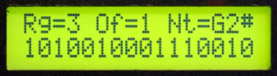
This program was inspired by the Klee sequencer but is not an exact replication of all functionality. The program currently consists of single 16 bit shift register or dual 8 bit shift registers (selection made by commenting out non-used code). In dual shift register mode the lower shift register is clocked at half rate. I use a random function to set the lower bit of the shift registers. There are three CV outputs (16 bits, high 8 bits, low 8 bits) corresponding to bits in the shift register attenuated by the corresponding front panel control, auto-scaled, quantized, ranged, and offset to provide a narrower range of CV outputs. There are three gate outputs corresponding to the three CV outputs generated by comparing the shift register with a gate mask. There are two trigger outputs corresponding to the clock and half clock rate. MIDI notes corresponding to the 16 bit CV output is sent along with a program change corresponding to the lower 6 bits of the high byte of the shift register. The LCD menu selects the gate mask and MIDI offset. * * * More to come * * *
CVS PC-2 (rev0.3).DJB.bas (BMIDE version)
CVS PC-2 (rev0.3S2).DJB.bas (Studio 2.x version)
This program interfaces to the Kurzweil ribbon PC-2 to provide a 0 to 10 volt output with a gate and trigger. The output returns to 5 volts with no ribbon contact. The display indicates the output voltage.
CVS Shepard Generator (rev0.0S2).DJB.bas (Studio 2.x version)
This program outputs four sawtooth and four triangle waves for controlling a Shepard's Function Generator. The four sawtooths are phased 90 degrees apart and the triangle waves are phased for maximum amplitude at the center of the sawtooth.
CVS SuperSequencer (rev0.9).DJB.bas (BMIDE version)
CVS SuperSequencer (rev0.9S2).DJB.bas (Studio 2.x version)
This program is a 1 to 16 step programmable sequencer. Outputs consist of CV, Trigger, Gate1, Gate2, First Gate, Last Gate, Step Number CV, Step Number Inverse CV, and MIDI. Features include:
Programmable number of steps (saved in non-volatile memory)
Programmable Gate1 level per step (saved in non-volatile memory)
Programmable Gate2 level per step (saved in non-volatile memory)
First step Gate
Last step Gate
Programmable MIDI Program Change patch per step (saved in non-volatile memory)
Forward / backward step tuning (saved in non-volatile memory)
Up, down, up/down, and random sequencing (saved in non-volatile memory)
CV and MIDI output
5 mS Trigger
Support for external controls
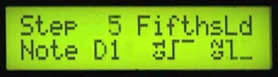
The display indicates the direction mode, step number, Midi patch, note value, and gate1 and gate2 levels
DJB-4 Channel CVS Programs
CVS4 CV2Midi (rev0.4S2).DJB.bas (Studio 2.x version)
This program converts CV to MIDI . It sends note on & velocity, note off, and program changes based on various inputs. It determines valid notes from the gate signal or a change in input CV. Tracking a changing CV creates some great MIDI glissindos. The display shows program change and note velocity.
CVS4 SC-7 Control (rev0.1S2).DJB.bas (Studio 2.x version)
This program provides controls for the Roland SC-7 Sound Canvas. MIDI in is sent to MIDI out. In-1 selects the family, In-2 selects the voice, and In-3 selects octave transpose. Family and voice are displayed on the LCD while transpose is indicated by the OUT leds. Program change is sent on the last-used MIDI channel.
CVS4 SuperSequencer (rev1.1).DJB.bas (BMIDE version)
CVS4 SuperSequencer (rev1.1S2).DJB.bas (Studio 2.x version)
This program is a 1 to 8 step programmable sequencer. Outputs consist of CV, Trigger, Gate1, Gate2, and MIDI. Features include:
Programmable number of steps (saved in non-volatile memory)
Programmable Gate1 level per step (saved in non-volatile memory)
Programmable Gate2 level per step (saved in non-volatile memory)
First step Gate
Last step Gate
Programmable MIDI Program Change patch per step (saved in non-volatile memory)
Forward / backward step tuning (saved in non-volatile memory)
Up, down, up/down, and random sequencing (saved in non-volatile memory)
CV and MIDI output
5 mS Trigger
Support for external controls
The display indicates the direction mode, step number, Midi patch, note value, and gate1 and gate2 levels
CVS4 Trapezoid Generator (rev0.1S2).djb.bas (Studio 2.x version; requires Support.djb.bas program)
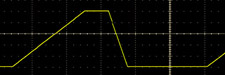
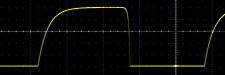
This program emulates an EMS-Synthi trapezoid generator with controls for Attack, On, Decay, and Off. The Start switch selects normal operation (initiated by a gate) or looping mode. The Stop switch selects linear or exponential mode. The output is a 0 to +5 volt trapezoid with a 2 mS to 2 second range per phase.
DJB-CVS Calibration Programs
These programs can also be used to verify the PSIM.
I use the PSIM IO Test.DJB.bas program to calibrate the CVS 10.666 volt reference.
CVS Display Input (rev0.2).DJB.bas (BMIDE version)
CVS Display Input (rev0.2S2).DJB.bas (Studio 2.x version)
This program displays the decimal input values of the eight analog inputs on the LCD. Four inputs are displayed at a time. The Start switch toggles between inputs IN1 - IN4 and IN5 - IN8. This program is for calibrating the gain of the input channels.
CVS Sequential Blink (rev0.2).DJB.bas (BMIDE version)
CVS Sequential Blink (rev0.2S2).DJB.bas (Studio 2.x version)
This program blinks all eleven LEDs in sequence (OUT1 - OUT8, Start, Stop, MIDI Status). This program is to verify functionality of the outputs.
CVS Test Waveforms (rev0.1).DJB.bas (BMIDE version)
CVS Test Waveforms (rev0.1S2).DJB.bas (Studio 2.x version)
This program generates oscilloscope waveforms for verifying a CVS board. A 12 step rolling pattern is sent to each output with a trigger pulse sent to the Aux output. Start and Stop switches control the respective LED and a MIDI note is sent to blink the status LED.
